Pro 機能
M365 Best Practice Checker は Free 版と Pro 版を提供しています。Free 版でもスキャンと基本的な評価は利用できますが、Pro 版ではより高度な分析・レポート・管理機能が利用可能です。
Free / Pro 比較
| 機能 | Free | Pro |
|---|---|---|
| テナントスキャン(47 ルール) | ✓ | ✓ |
| ダッシュボード(スコア・件数) | ✓ | ✓ |
| 改善提案(対策カード) | ✓ | ✓ |
| リスク画面(レイヤースコア・全ルール一覧) | ✓ | ✓ |
| PDF レポート出力 | — | ✓ |
| CSV エクスポート | — | ✓ |
| スナップショット比較 | — | ✓ |
| 比較 PDF 出力 | — | ✓ |
| ステータス管理(対処中・対処済み・除外) | — | ✓ |
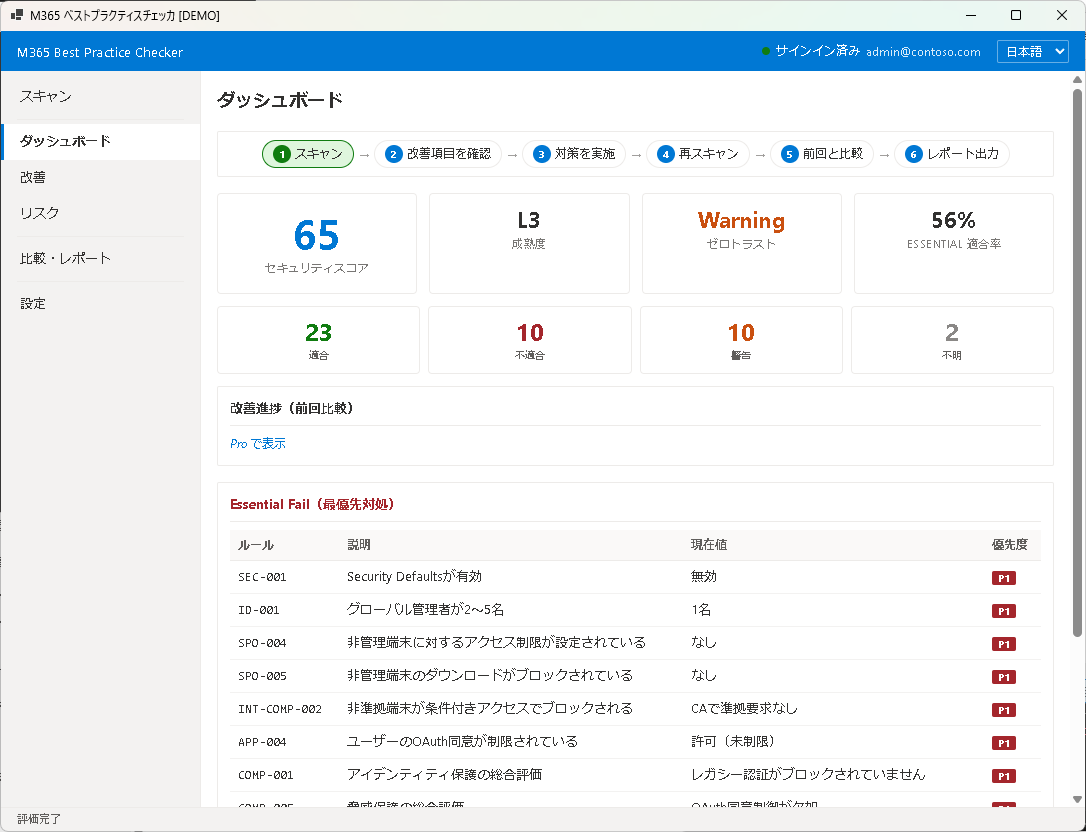
Pro で利用できる機能
レポート出力
PDF / CSV 形式でのレポート出力により、経営層やセキュリティ監査への報告が効率化されます。PDF レポートにはスコアサマリー、レイヤー別評価、全 Fail 項目の対策概要が含まれます。
スナップショット比較
過去のスキャン結果と現在の結果を並べて比較し、改善の推移を追跡できます。比較結果も PDF として出力可能です。
ステータス管理
各 Fail 項目に対して「対処中」「対処済み」「除外」のステータスを設定し、チームでの改善作業の進捗を管理できます。
アップグレード方法
- アプリ内の「設定」画面を開きます。
- 「Pro にアップグレード」ボタンをクリックします。
- ライセンスキーを入力して「アクティベート」をクリックします。
- アクティベーション完了後、すべての Pro 機能が即座に利用可能になります。
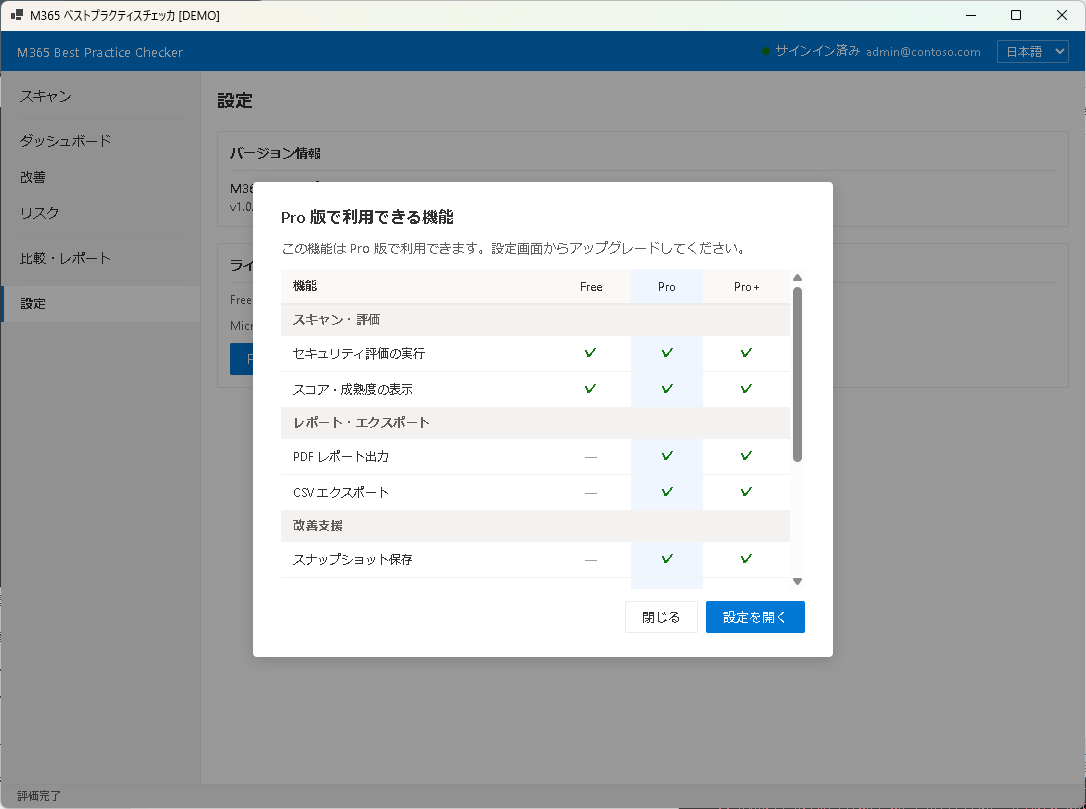
ライセンスキーの購入については、サポートページからお問い合わせください。
次のステップ
アプリの設定やライセンス管理については Chapter 8: 設定をご覧ください。
Pro Features
M365 Best Practice Checker offers Free and Pro editions. The Free edition provides scanning and basic evaluation, while the Pro edition unlocks advanced analysis, reporting, and management features.
Free / Pro Comparison
| Feature | Free | Pro |
|---|---|---|
| Tenant Scan (47 rules) | ✓ | ✓ |
| Dashboard (Score & counts) | ✓ | ✓ |
| Improvement Suggestions (Action cards) | ✓ | ✓ |
| Risk Screen (Layer scores & all rules) | ✓ | ✓ |
| PDF Report Export | — | ✓ |
| CSV Export | — | ✓ |
| Snapshot Comparison | — | ✓ |
| Comparison PDF Export | — | ✓ |
| Status Management (In Progress / Addressed / Excluded) | — | ✓ |
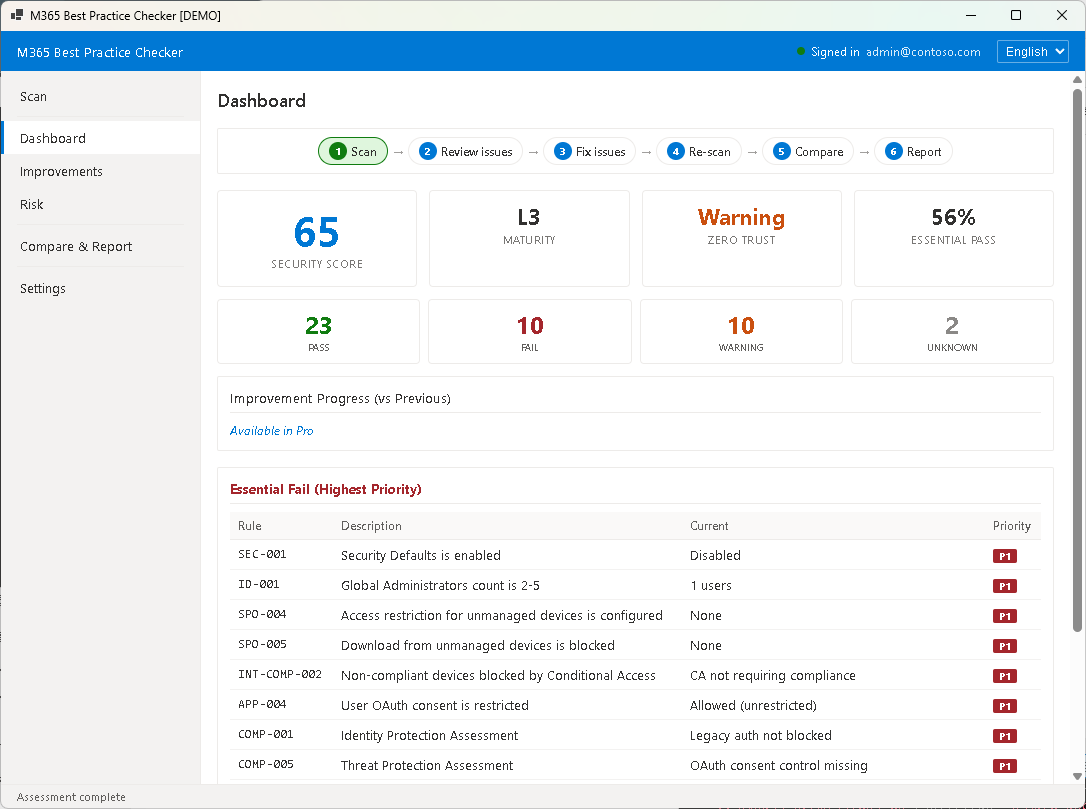
Pro Capabilities
Report Export
PDF and CSV report export streamlines reporting to management and security audits. PDF reports include a score summary, per-layer evaluation, and remediation overview for all Fail items.
Snapshot Comparison
Compare past scan results side by side with current results to track improvement trends. Comparison results can also be exported as PDF.
Status Management
Set statuses like "In Progress", "Addressed", or "Excluded" for each Fail item to manage team remediation progress.
How to Upgrade
- Open the "Settings" screen in the app.
- Click the "Upgrade to Pro" button.
- Enter your license key and click "Activate".
- After activation, all Pro features become immediately available.
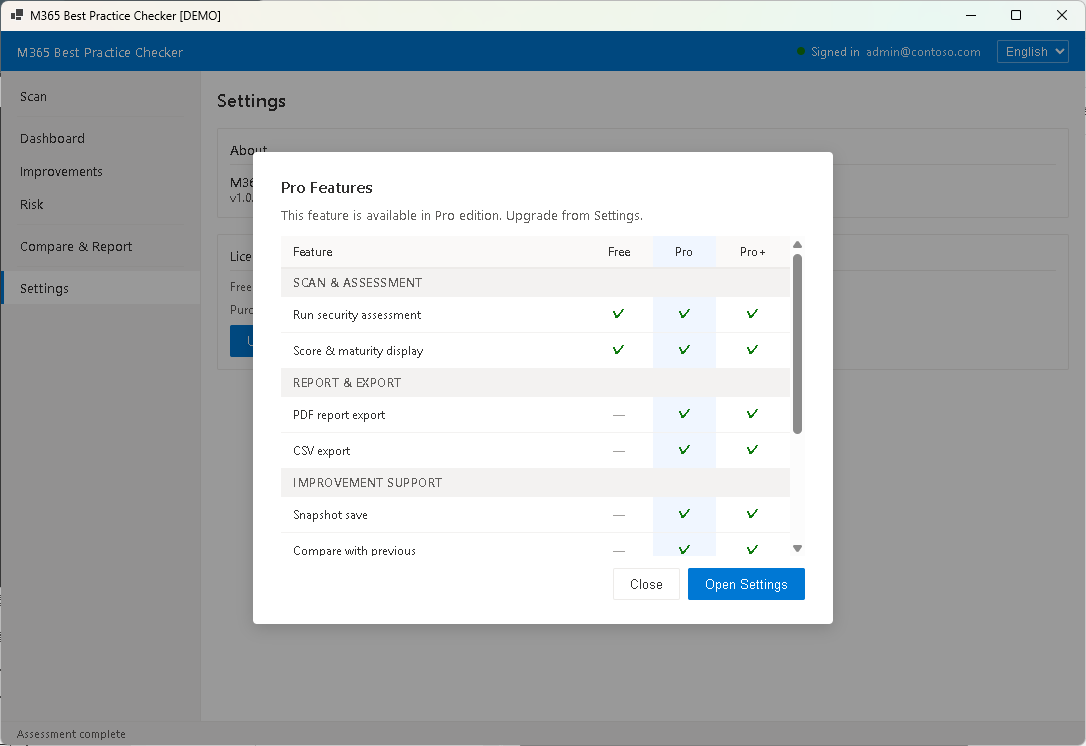
To purchase a license key, please visit the Support page.
Next Step
For app settings and license management, see Chapter 8: Settings.