リスク
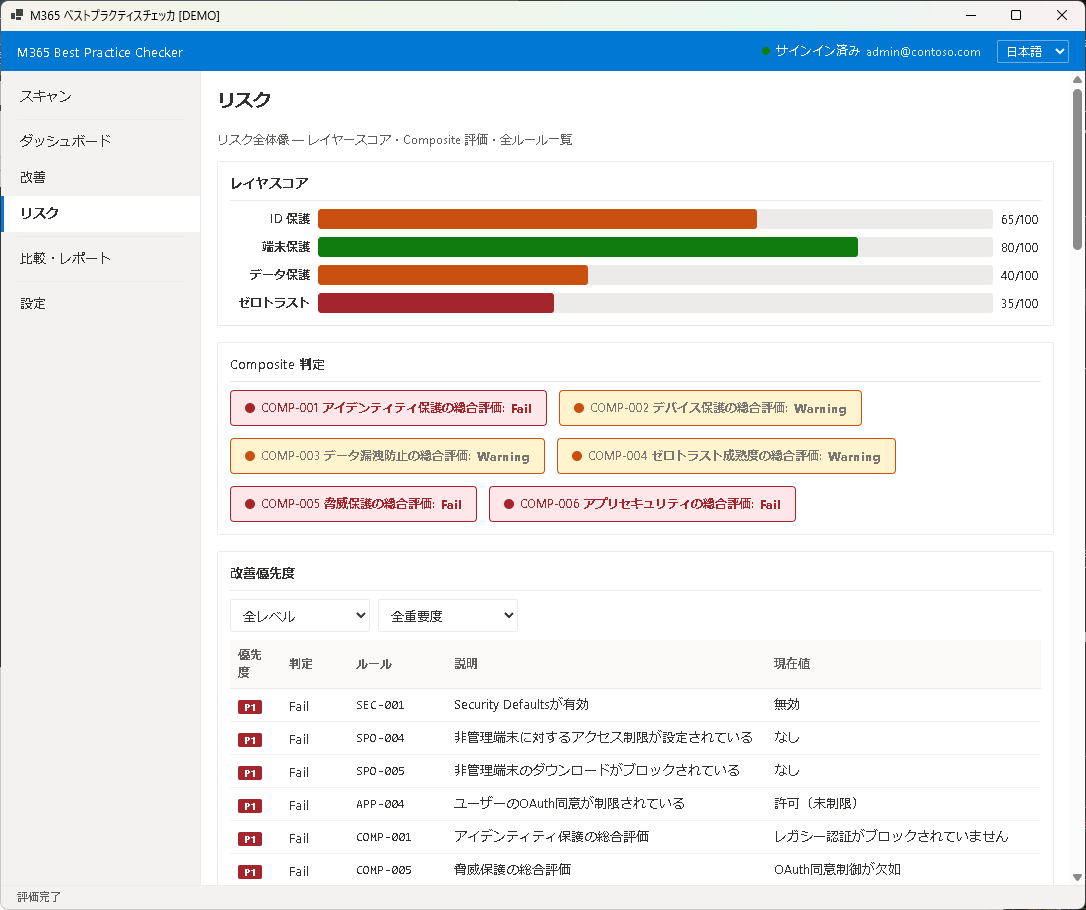
リスク画面は、テナント全体のセキュリティリスクを多角的に分析・可視化する画面です。レイヤー別のスコアから個別ルールの詳細まで、リスクの全体像を把握できます。
レイヤースコア
セキュリティは 4 つのレイヤーで評価されます。各レイヤーの個別スコア(100 点満点)と Pass/Fail 件数が表示されます:
- Identity — 認証・アクセス制御(MFA、条件付きアクセス、パスワードポリシー等)
- Device — デバイス管理・コンプライアンス(Intune 登録、暗号化、OS 更新等)
- Data — データ保護(DLP、暗号化、外部共有制限等)
- Governance — 管理・監査(監査ログ、管理者数、メールフロールール等)
Composite スコア
4 つのレイヤースコアを重み付けで集計した総合スコア(Composite Score)が表示されます。各レイヤーの重みは、セキュリティにおける影響度に基づいて設定されています。Identity レイヤーが最も高い重みを持ちます。
改善優先度
Fail 項目は優先度順にソートされます。優先度は以下の要素を組み合わせて算出されます:
- セキュリティ影響度 — その設定が侵害された場合のリスクの大きさ
- スコアへの寄与度 — 改善した場合のスコア上昇幅
- 実装難易度 — 設定変更の容易さ(Quick Win かどうか)
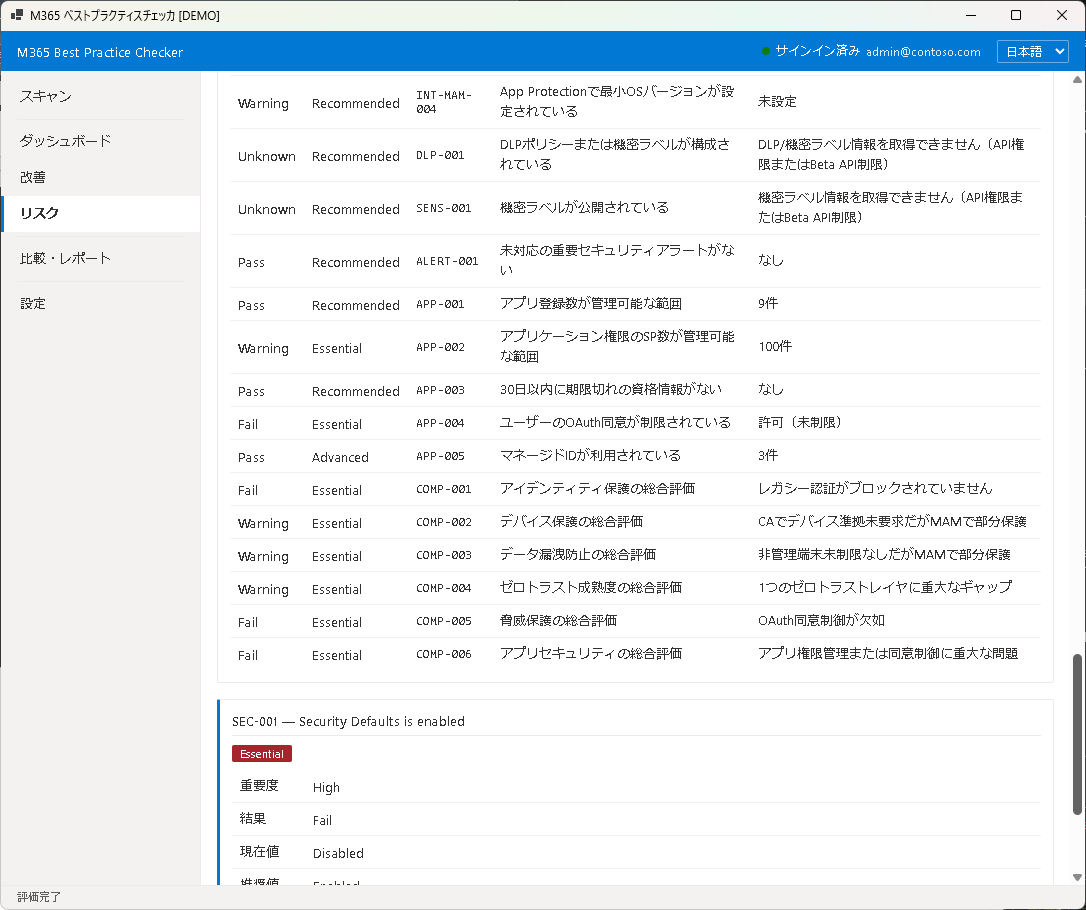
全ルール一覧
47 のベストプラクティスルール全件が一覧で表示されます。Pass / Fail / Unknown のステータスに加え、各ルールのレイヤー、カテゴリ、重みが確認できます。ルール名や状態で検索・フィルタが可能です。
詳細パネル
ルールをクリックすると、右側に詳細パネルが表示されます:
- ルール概要 — そのルールが何を検査するか
- 現在の状態 — テナントの実際の設定値
- 推奨値 — ベストプラクティスで推奨される設定値
- 根拠 — なぜこの設定が重要なのかの説明
- 対処手順 — 設定を変更するための具体的なステップ
次のステップ
改善結果の記録と前回比較は Chapter 6: 比較・レポートで行えます。
Risk
The Risk screen provides a multi-dimensional analysis and visualization of your tenant's security risk posture. From layer-level scores to individual rule details, you can grasp the full risk picture.
Layer Scores
Security is evaluated across four layers. Each layer has its own score (out of 100) along with Pass/Fail counts:
- Identity — Authentication & access control (MFA, Conditional Access, password policies, etc.)
- Device — Device management & compliance (Intune enrollment, encryption, OS updates, etc.)
- Data — Data protection (DLP, encryption, external sharing restrictions, etc.)
- Governance — Administration & auditing (audit logs, admin count, mail flow rules, etc.)
Composite Score
The Composite Score is a weighted aggregate of the four layer scores. Layer weights are based on their security impact, with the Identity layer carrying the highest weight.
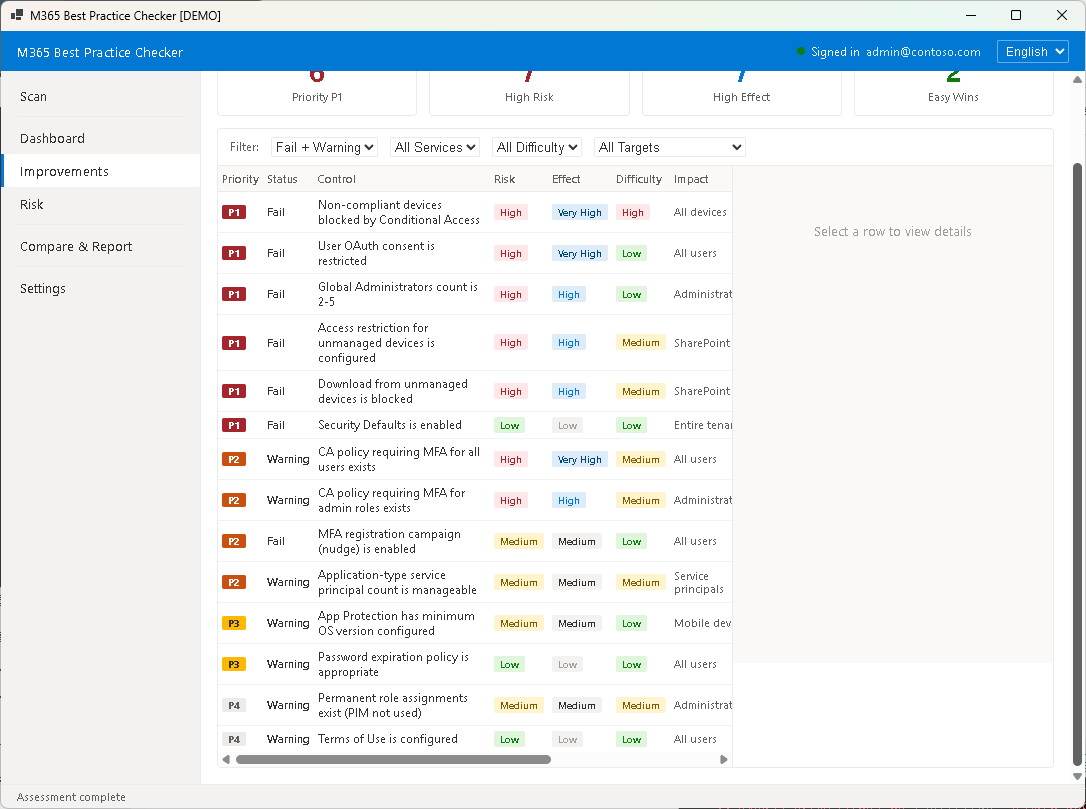
Improvement Priority
Fail items are sorted by priority, which is calculated from a combination of:
- Security Impact — the magnitude of risk if that setting is compromised
- Score Contribution — the estimated score gain if remediated
- Implementation Difficulty — how easy the change is to implement (Quick Win or not)
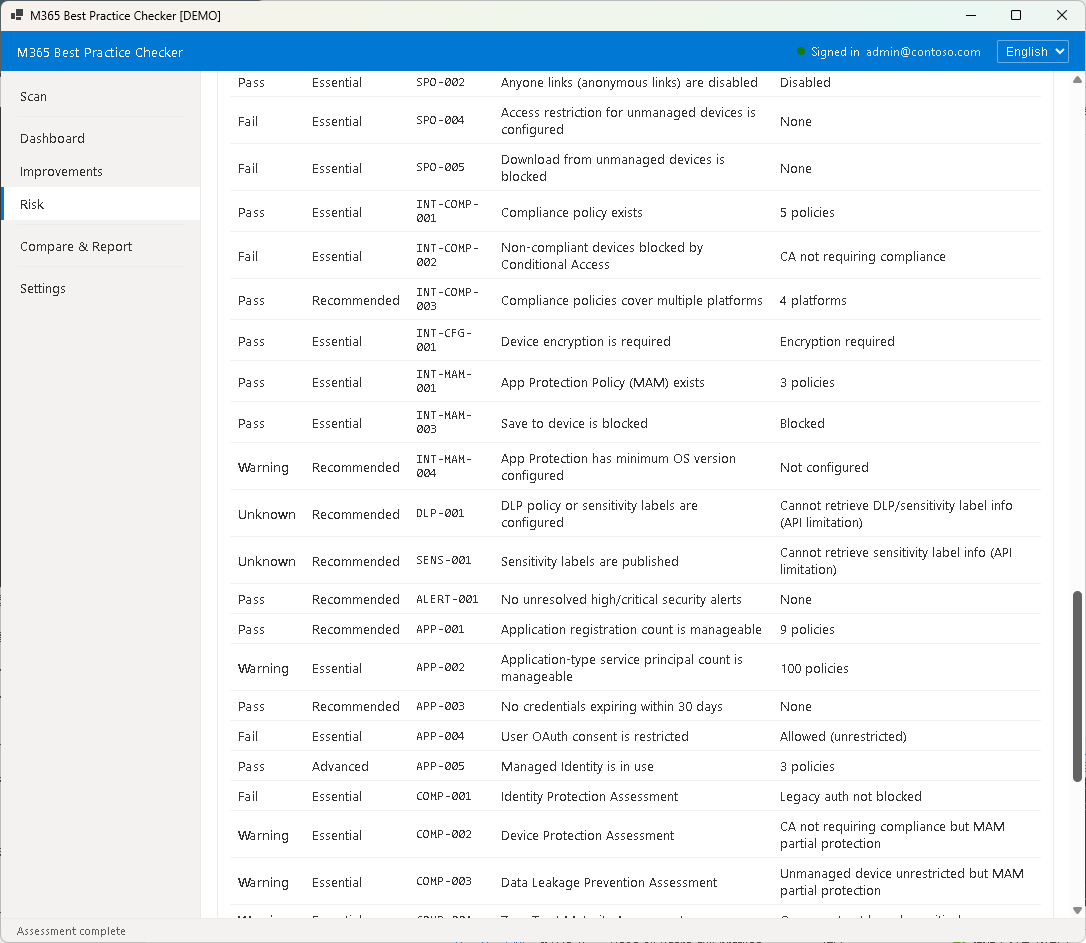
All Rules List
All 47 best practice rules are listed with their Pass / Fail / Unknown status, layer, category, and weight. You can search and filter by rule name or status.
Detail Panel
Click a rule to open the detail panel on the right side:
- Rule Summary — what the rule inspects
- Current State — the actual setting value in your tenant
- Recommended Value — the best practice recommendation
- Rationale — why this setting matters
- Remediation Steps — specific steps to change the setting
Next Step
To record improvement results and compare with previous scans, see Chapter 6: Compare & Report.